 Reserve

Before you start
- A CoolWallet Pro card, compatible phone and charger.
- Access to the official manufacturer website and app.
- Paper and pen for recovery information; a private place without screen recording or a camera.
- A clear choice of asset and network. Do not fund the new wallet before backup verification is complete.
Separate your reserve and working wallets
- Assign two purposes: Reserve for longer-term custody and Working for applications and trading.
- For an independent reserve, generate new keys on the hardware device. Do not import a phrase already entered into browser or software-wallet storage.
Reserve uses new card-generated keys. Working uses different keys and a limited operating balance. Two addresses derived from one phrase do not provide that separation. The card protects signing keys; assets are recorded on the blockchain.
You know which wallet serves each purpose, and the two have independent recovery secrets.
Check the device and install the official app
- For Pro, the manufacturer specifies a CC EAL6+ secure element, display and physical confirmation button. First check that this is your exact model.
- Open the official CoolWallet website yourself. Follow its application links rather than a message from alleged support.
- Charge the card. Select the CoolWallet Pro/S setup flow and the Pro model. Match your card’s serial number when pairing by Bluetooth.
- Stop if a device arrives with someone else’s wallet or a prewritten recovery phrase. Contact official support.
Nearby Bluetooth devices may also appear. Match the serial number of your card instead of selecting the first name.
The verified app is paired with your own card.
Create a new wallet on the card
- Follow the Pro instructions for a new wallet with device-side key generation.
- Complete physical confirmations. Do not invent your own recovery phrase or copy an internet example.
- Pro and Go use different backup arrangements. Follow the instructions for your exact model.
This manual contains no real seed phrase. A phrase published online is already known to other people.
The new wallet was created on your device without importing a previously exposed secret.
Record and verify recovery information
- Record the information in the exact format and order used by the official Pro setup. Do not replace numerical recovery data with words you invent.
- Complete the backup verification provided by the card and app procedure. If it fails, do not fund the wallet; follow the official instructions again.
- Do not photograph or upload the record, send it to support, or paste it into an AI chat. Keep the card separate from its only recovery record.
A paper checklist can say: Model Pro; order recorded; official verification complete; storage location known. Actual secrets stay in your private offline record.
The record is legible, ordered and verified. Do not reset a funded wallet to experiment with an unverified backup.
Check the receiving address and network
- Open Receive for the intended asset. Compare the network, full address and supported asset with the sending service.
- Check fees and withdrawal minimums. If you send a test, use a small permitted amount and wait for receipt before any larger operation.
- Check available trusted card display information against the app. Do not rely only on the first and last address characters.
ETH on Ethereum Mainnet and ETH on Arbitrum use different routes. A transfer sent on Ethereum Mainnet must use the matching destination network.
The test arrived on the intended network and the address, asset and fee have been checked.
Prepare a separate working wallet for a DEX
- A supported software wallet with an independent phrase can handle regular Web3 activity. In conventional setup, MetaMask and Trust Wallet keep encrypted keys on your device.
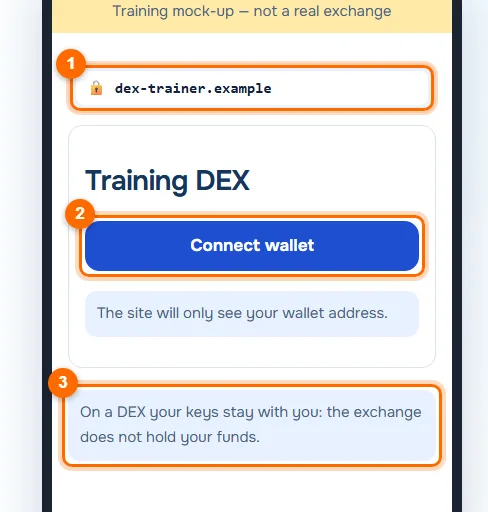
- Never enter the reserve’s recovery phrase into a DEX to connect it. Connecting a wallet does not require giving a service that phrase.
- Verify current EVEDEX compatibility for your exact device. If your preferred connection is unsupported, do not work around it by importing the reserve secret into software.
The reserve stays separate; apps use a working address. If a connection page asks for a seed phrase, close it and check the domain.
The supported connection method does not expose the reserve secret.
Use the official EVEDEX interface
- Open the official EVEDEX site or the referral link below, then verify the destination domain.
- Before funding a trading account, read its current network, asset, minimum and fee requirements. Do not automatically reuse the previous ETH example’s settings.
- Identify whether a request connects a wallet, transfers funds, signs a message, grants contract access or places a trade.
EVEDEX describes a hybrid DEX, non-custodial access and blockchain settlement. This reduces dependence on a key custodian. Trading losses, contract failures, issuer restrictions and applicable rules remain.
You can explain the action, amount, network, recipient and permissions. Otherwise, do not sign yet.
Review each signature and allowance
- Match the request to an action you initiated. Check destination, amount, network and any token allowance.
- Where supported, limit an allowance to the necessary amount. Review older permissions using officially recommended tools.
- Reject unexpected requests for urgent recovery, synchronization or a giveaway. A physical confirmation does not make an unknown contract trustworthy.
Approve usually grants a contract permission; it does not merely open a page. Find the requested asset and limit before approving.
You authorize a clear action rather than an unexplained request.
Prepare for loss or suspected compromise
- Lost phone: follow official re-pairing instructions rather than sharing a backup with unsolicited support.
- Lost card: recovery depends on the backup and a compatible device. Check the manufacturer’s current process first.
- Possibly leaked phrase: changing the app password does not change the keys. Stop new connections and prepare a safe move to independent keys using official guidance.
An app problem and a leaked recovery phrase are different incidents. One may require restoring access; the other means the old secret cannot be trusted.
You have an offline recovery plan and do not keep treating a potentially exposed secret as secure.
Final checklist
- Reserve and working wallets use independent keys.
- Recovery data is offline and officially verified.
- Network and address are checked before a transfer.
- Connecting to EVEDEX does not disclose the phrase.
- Each signature and allowance is understood before approval.